Handle a dispute
For superadmins: read both sides of a dispute, look at the evidence and decide what happens to the payment.
Roles that can do this
- Superadmin
Steps
Open the disputes list
In the admin dashboard choose Disputes. Dispute Management has tabs for Open, Under Review, Resolved and Closed. Open a dispute from the list.
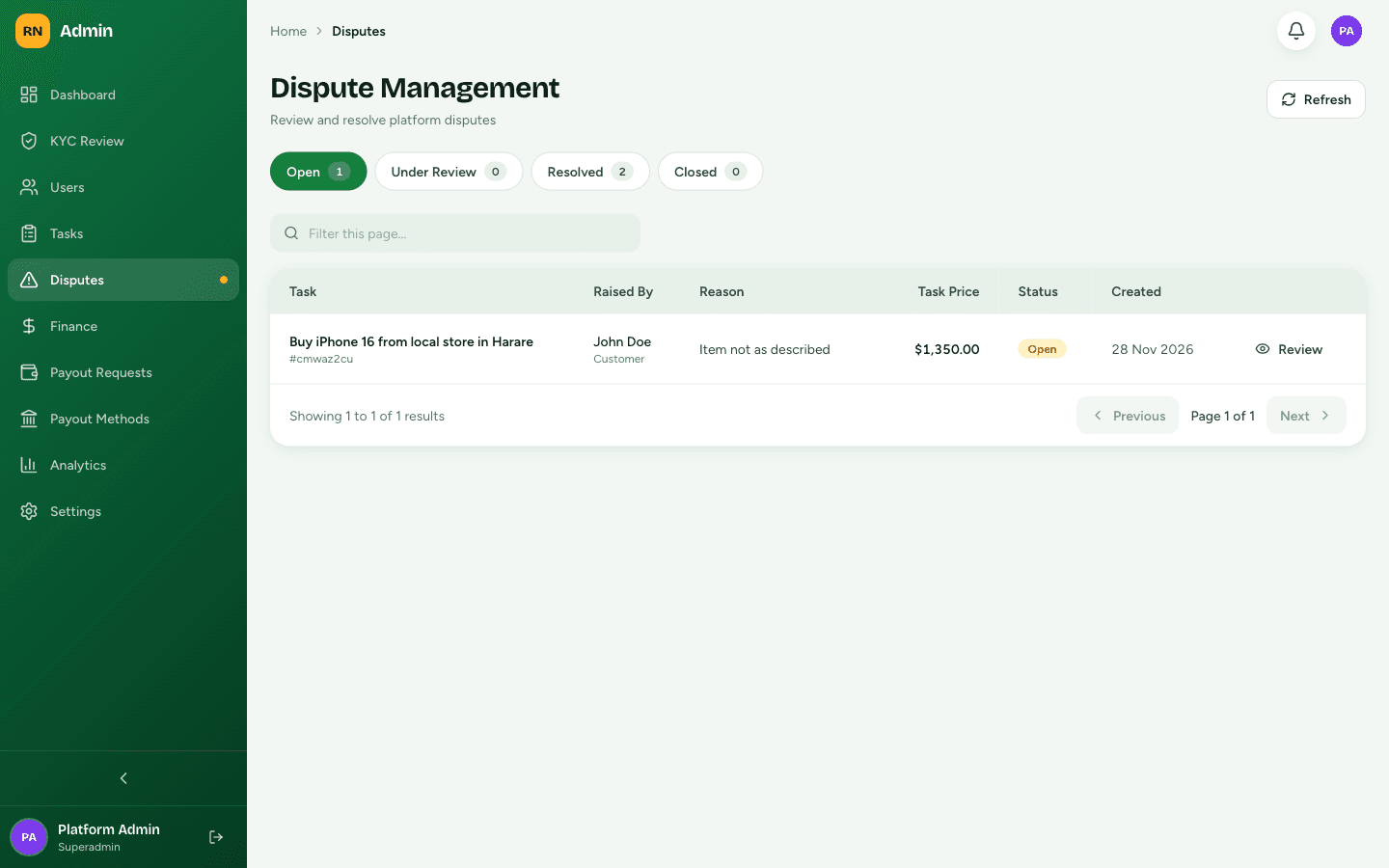
The disputes list. Read the case
The Dispute Review page shows the customer and the runner (the person who raised it is marked Complainant), the Dispute Details with reason and description, the Payment, the Dispute Evidence and the Runner's Completion Evidence.
Choose a decision
In the Resolution Form, choose Runner Favour (release the payment to the runner), Customer Favour (refund the customer; the runner gets a strike), Split (half the runner’s share to the runner, the rest refunded) or Dismiss (the task returns to review for the customer to approve).
Explain and confirm
Write the Resolution Notes, press Resolve Dispute and confirm. Both people are notified, and the decision and notes appear on their task.
Tips
- A resolution moves money and cannot be undone. Read both sides first.
- If no payment is in escrow, no money moves; only the task’s status changes.
- A resolution that pays the runner is refused when the task has no runner.