Earnings and payouts
See what you have earned, add a payout method and withdraw your wallet balance.
Roles that can do this
- Runner
Steps
Open Earnings
Choose Earnings in the menu. You see your Wallet Balance, any Payout in Progress, what you earned This Month, your Recent Task Payments and your Payout History.
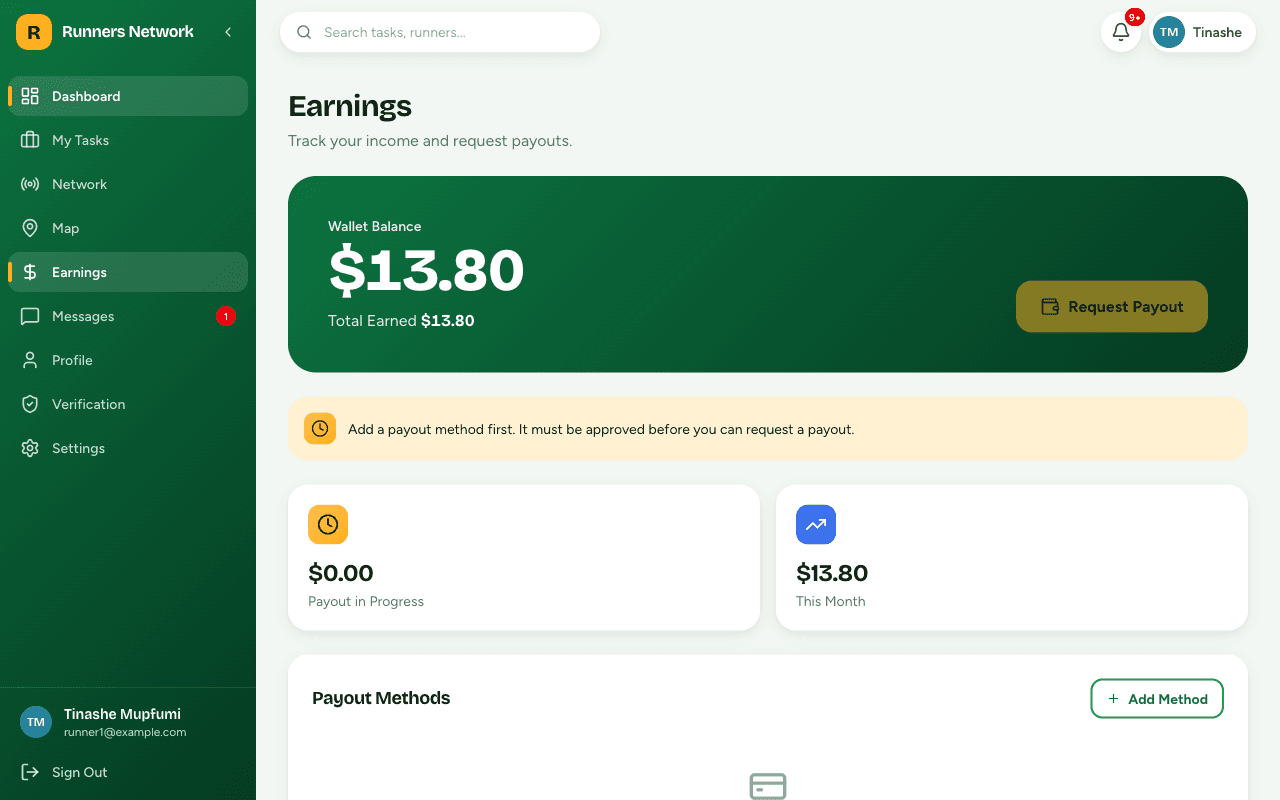
The Earnings page. Add a payout method
Under Payout Methods, press Add Method. Choose Bank Transfer, Mobile Money, PayPal or Crypto, fill in the details and press Add Method.
Wait for the method to be approved
A new method shows Awaiting review while our team checks the details, then Approved. Methods cannot be edited after they are added; remove one and add it again if something changes. Make Default chooses the one used first.
Request a payout
Press Request Payout, enter the Payout Amount, choose the Payout Method and press Request Payout. The minimum is $10, and a processing fee of 1% (at least $0.50, at most $2.00) is taken from the amount.
Follow the payout
The amount leaves your wallet straight away. In Payout History the request goes from Pending to Processing to Completed. If it Failed, the reason is shown and the amount returns to your wallet.
Tips
- You can have one payout in progress at a time.
- Money reaches your wallet when a customer releases a payment, or when a dispute is decided in your favour.